 Ambitus
Protected Notes and Lists
You can protect a note or a list with one password, on all your devices. Its title stays visible with a padlock. What is inside is locked away, also in its file in iCloud.
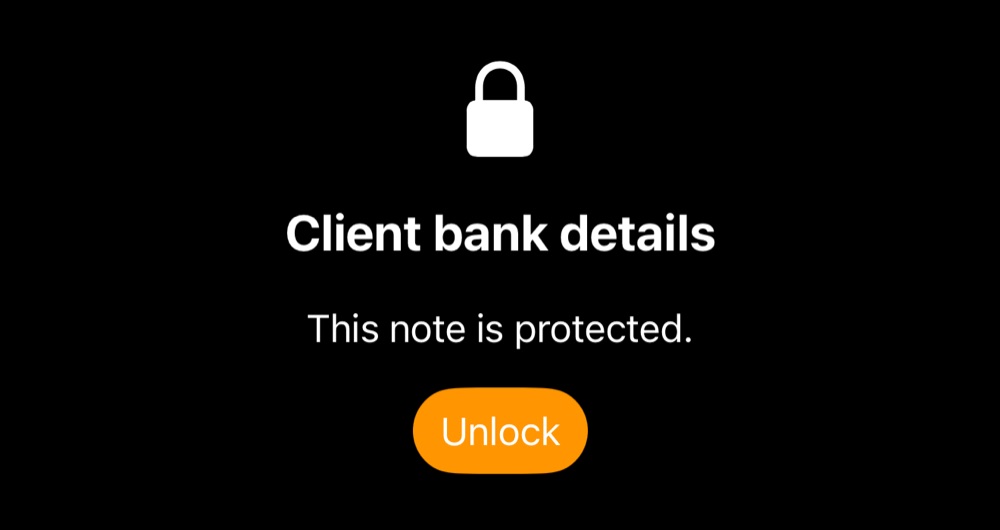
Protecting a note or list
- Choose Protect Note… or Protect List… in its menu.
- The first time, Ambitus asks for a password. It is the same for every protected note and list, on all your devices.
Remove Protection in the same menu makes it ordinary again.
Settings ▸ General ▸ Protected Notes and Lists changes the password.
Unlocking and locking
Tap or click Unlock. Face ID or Touch ID opens everything protected at once. The password is asked for on a new device, or where Face ID and Touch ID can't be used.
Everything protected locks again:
- when you leave Ambitus
- after 10 minutes untouched
- when you tap or click the open padlock of a protected note or list
- on the Mac, when the Mac sleeps or its screen locks
While it is locked
- Only the title shows.
- Share, Export, Print and Duplicate wait until it is unlocked.
- Search finds a protected note or list by its title, never by what is inside.
- Sharing or exporting a folder leaves its protected notes out.
Photos, drawings, recordings and videos
- Those that only protected notes use are locked too.
- One that an ordinary note also uses stays ordinary.
- A video's original in the Photos app isn't locked.
What can't be protected
A Time Note's days, Quick Notes and Quotes.
If you forget the password
Write the password down somewhere safe.
If you forget it, a device that still opens with Face ID or Touch ID can set a new one in Settings.
If none can, nobody can open the protected notes and lists: not you, and not us.