 Ambitus
Siri and Apple Watch
You can add to Ambitus without opening it: by asking Siri, or from your Apple Watch. Everything goes into today's quick note.
A quick note by voice
With the menu
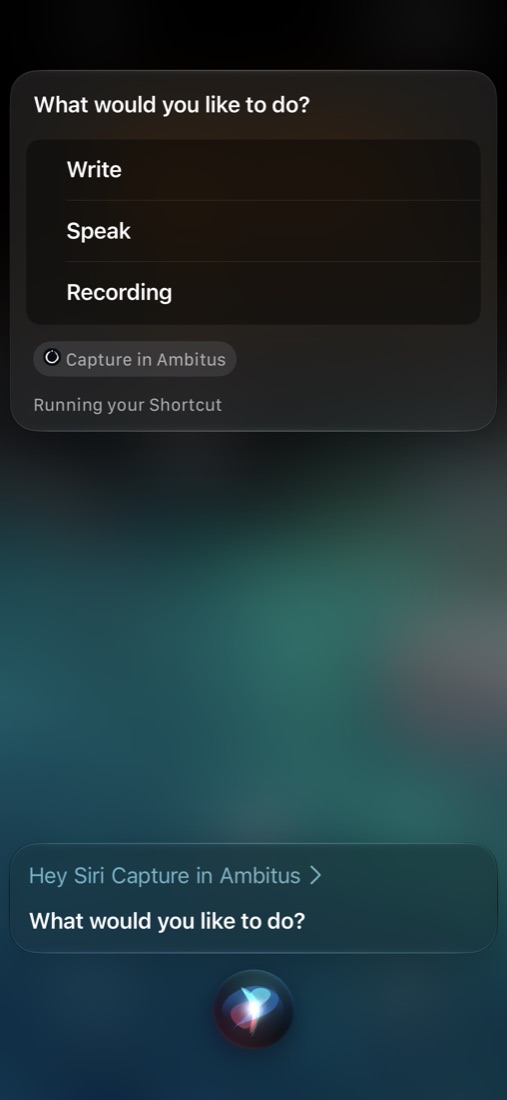
Say "Hey Siri, Capture in Ambitus" and choose Write, Speak or Recording, as on Apple Watch. What you write, say or record is added to today's quick note, and Ambitus stays closed.
This needs the ready-made shortcut. Add it once:
- Open Settings ▸ Help ▸ Siri and Apple Watch on your iPhone.
- Tap the button to add the shortcut.
- Tap Add Shortcut.
To have it on your iPad and Mac too, turn on iCloud Sync for Shortcuts on each device.
On Apple Watch, "Hey Siri, Capture in Ambitus" gives the same menu.
One quick line
For one quick line without the menu, say "Hey Siri, Ambitus capture". Siri asks What's the note?, and what you say is added straight away. This one works on the iPhone only, not on Apple Watch.
Good to know
- To stop when Siri asks for the note, say Cancel.
- Siri tells you when the note has been added. To hear it in AirPods or while driving, choose Settings ▸ Siri ▸ Siri Responses ▸ Prefer Spoken Responses on the iPhone. Otherwise Siri may only show it on the screen.
Where quick notes go
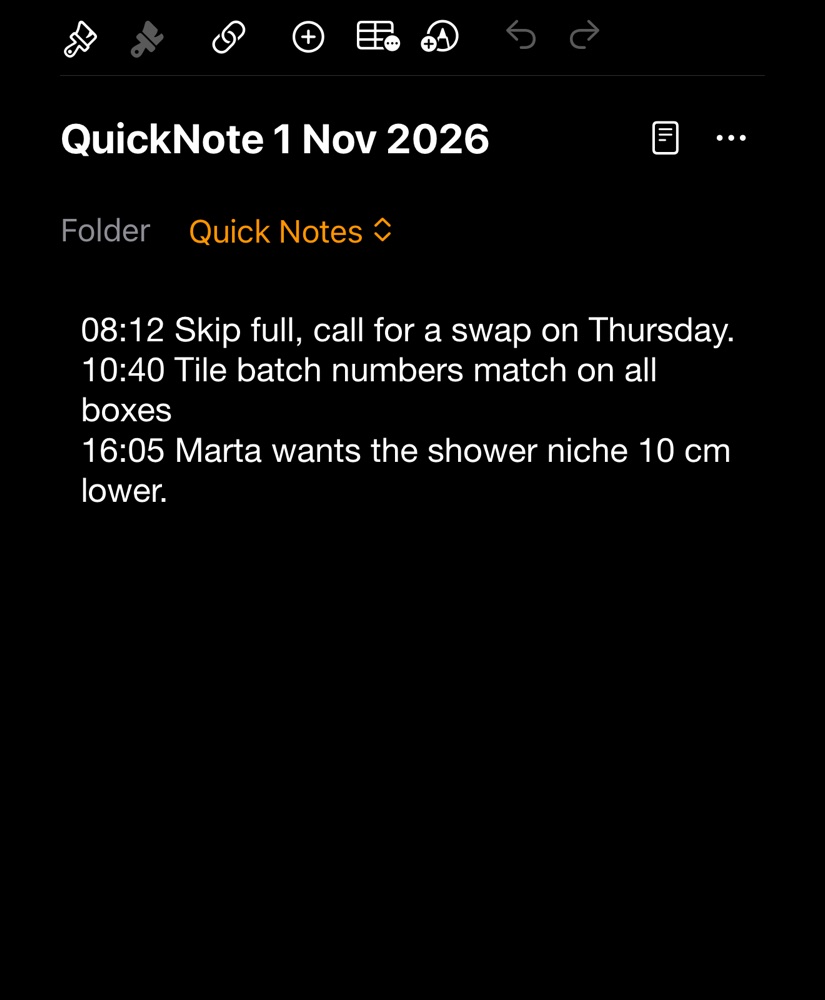
They go into a folder called Quick Notes, one note a day, named QuickNote with the date. Each thing you say becomes a new line that starts with its time.
Without speaking
The same command is in the Shortcuts app, under Ambitus, as Add Quick Note. You can type the note there, or put it on your Home Screen.
Putting Ambitus on the watch
If Ambitus isn't on your watch:
- Open the Watch app on your iPhone.
- Find Ambitus under Available Apps.
- Tap Install.
After that, it updates by itself whenever the iPhone app does, as long as Automatic Updates is on in the watch's Settings ▸ App Store.
On the Apple Watch
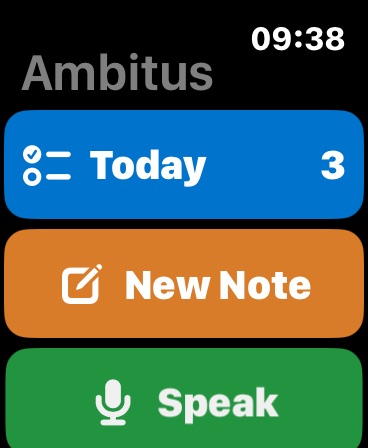
- Today shows today's tasks and events, with the number still to do. Tap a task to tick it off.
- New Note takes a short note by scribble or the watch's keyboard, or by dictation when the watch offers it.
- Speak takes a spoken note and adds only its words to today's quick note. The language shown is the one it will be written in. Tap it to change it.
- Record takes a long spoken note, with Pause and Stop. The iPhone turns it into text and adds both the text and the recording to today's quick note. The language shown on the recording screen is the one it will be written in. Tap it to change it.
Under these, the watch lists the notes sent lately and how far each has got.
The watch needs the iPhone
The watch sends everything to Ambitus on your iPhone, which does the work. If the iPhone is out of range, the note or tick waits on the watch and is sent when it is back.
No Wi-Fi or internet is needed. When the iPhone is near, the watch sends by Bluetooth. On a plane, Airplane Mode can switch Bluetooth off. Turn Bluetooth back on in Control Centre, and the watch and iPhone can talk again.
On the watch face
Two complications can be added to a watch face:
- Today: tasks left today, and what is next.
- New Note: the microphone. One tap gives New Note, Speak and Record.