 Ambitus
Settings
Each setting has a line under it in the app saying what it does. This chapter puts them all in one place.
- Mac and iPad: open Settings with the gear under Tasks. On a Mac: ⌘,. The pages are named across the top.
- iPhone: tap Settings in the bar at the bottom. The orange names at the top jump to each part.
Many settings are kept on each device separately, so set them on every device you use. This chapter says this device for those.
General
| Setting | Does |
|---|---|
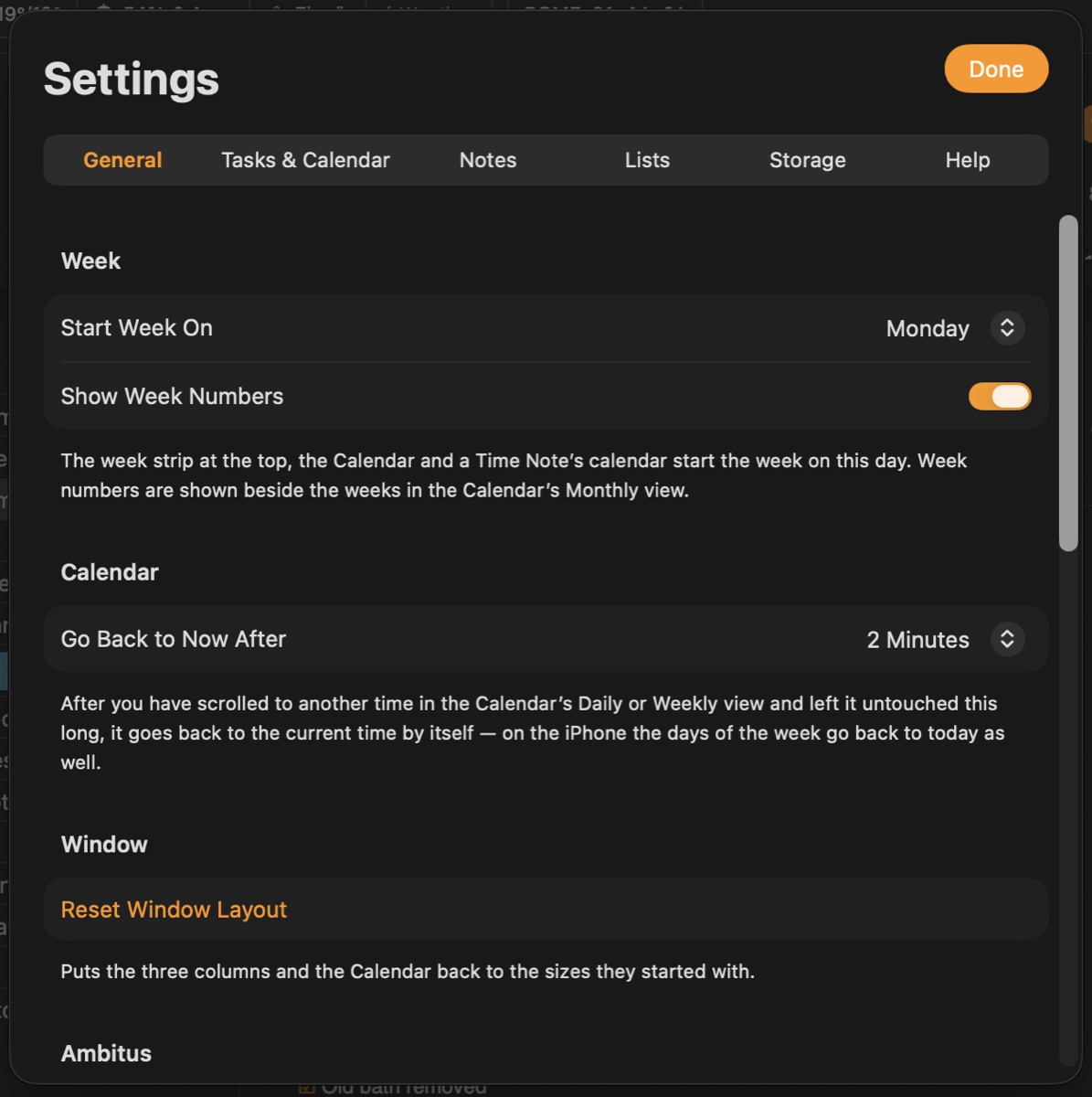
| Start Week On | Monday or Sunday, for the week strip, the Calendar and a Time Note's calendar |
| Show Week Numbers | Beside the weeks in the Calendar's Monthly view |
| Go Back to Now After | Never, or 1, 2 or 5 minutes. After you scroll to another time in Daily or Weekly and leave it, the Calendar returns to the current time. On the iPhone the days of the week go back to today as well |
| Medium-Width Window (iPad) | Three Columns or Tabs, for widths in between, such as an iPad held upright. A wide window always shows three columns, and a narrow one always shows tabs. This device |
| Reset Window Layout | Puts the three columns and the Calendar back to the sizes they started with |
| Ambitus | The trial or purchase status, Buy Ambitus and Restore Purchase. See Buying Ambitus |
| Show Welcome Again | The screens a new person sees at the first start. Your folders stay as they are unless you choose another place there |
| Quick Start | The two-minute tour of what each part does |
| Ask Before Deleting | On: deleting a note or folder asks first. Off: it is deleted at once, and Undo brings it back. This device |
| Protected Notes and Lists | Changes the password. See Protected Notes and Lists |
| Show Undo Bar After Every Change (iPhone and iPad) | Off: the Undo bar appears after a delete or a move. On: also after ticking, renaming, colour changes, duplicating, adding and reordering. This device |
Ask Before Deleting covers notes and folders only. Lists always ask, and a deleted list stays in Recently Deleted for 30 days. Tasks, events, quotes and cities always ask, because deleting them can't be undone. One item in a list is always deleted at once, and Undo brings it back.
Tasks & Calendar
| Setting | Does |
|---|---|
| Tasks: Show Completed, Show Overdue (under Today) | What Tasks shows |
| Calendar: Show Completed, Show Overdue | What the Calendar shows |
| Reminder Lists Shown | A list switched off is left out of Tasks, the Calendar and Search, and gives no alert. Nothing is deleted or changed in Reminders. This device |
| Calendars Shown | A calendar switched off is left out in the same way. Nothing is deleted or changed in Calendar |
| New Task: List | The list a new task starts in |
| New Task: Starts With a Due Time, Due Time | How the window for a new task starts. Everything can still be changed there. A task with a due time gets an alert at that time; one without has none |
| Permissions | Shows what is allowed, and opens the device's own settings. See Permissions and Privacy |
Notes
| Setting | Does |
|---|---|
| Sort Notes By | The order of folders and notes, in the Folders view and in All Notes |
| New Notes: Font, Text Size | A note made on this device starts in this font and size, and looks the same on your other devices. Notes you already have keep their look. This device |
| PDF Export | The page of a note exported as a PDF. Printing doesn't use it: there, the paper is chosen in the print window. This device |
| Ticked Lines | As They Are, or Greyed: the text of a ticked line is shown in grey and the box stays orange. Untick the line and its text is as it was. This device |
| Videos: Copy in the Note | Large or Small. See below. This device |
| Recordings: Transcription Language | The language ticked in a recording's Transcribe menu. Another one can be picked there for a single recording, which doesn't change this setting. This device |
Videos. A video added to a note keeps its original in the Photos app. The note holds a smaller copy, up to 1080p and 30 frames a second. Large is the sharper picture, and Small takes about a third less space: a 90-second 1080p video takes about 55 MB or 35 MB. Videos already in your notes stay as they are.
Sound files. A sound file added to a note is kept at 128 kbit/s at most. A larger one is copied in smaller, and the file itself is left as it is.
Lists
| Setting | Does |
|---|---|
| Show Completed | Shows or hides completed items |
| New List Look | Full Colours or Muted. A list you make starts with this look, and it can be changed for each list. The lists you have aren't changed. This device |
| Show Quotes | Shows or hides the Quotes box. This device |
| Quote options | How often the quote changes, and in what order. This device |
Storage
For how folders work, see Files and Storage. Every folder choice here is kept on this device.
| Setting | Does |
|---|---|
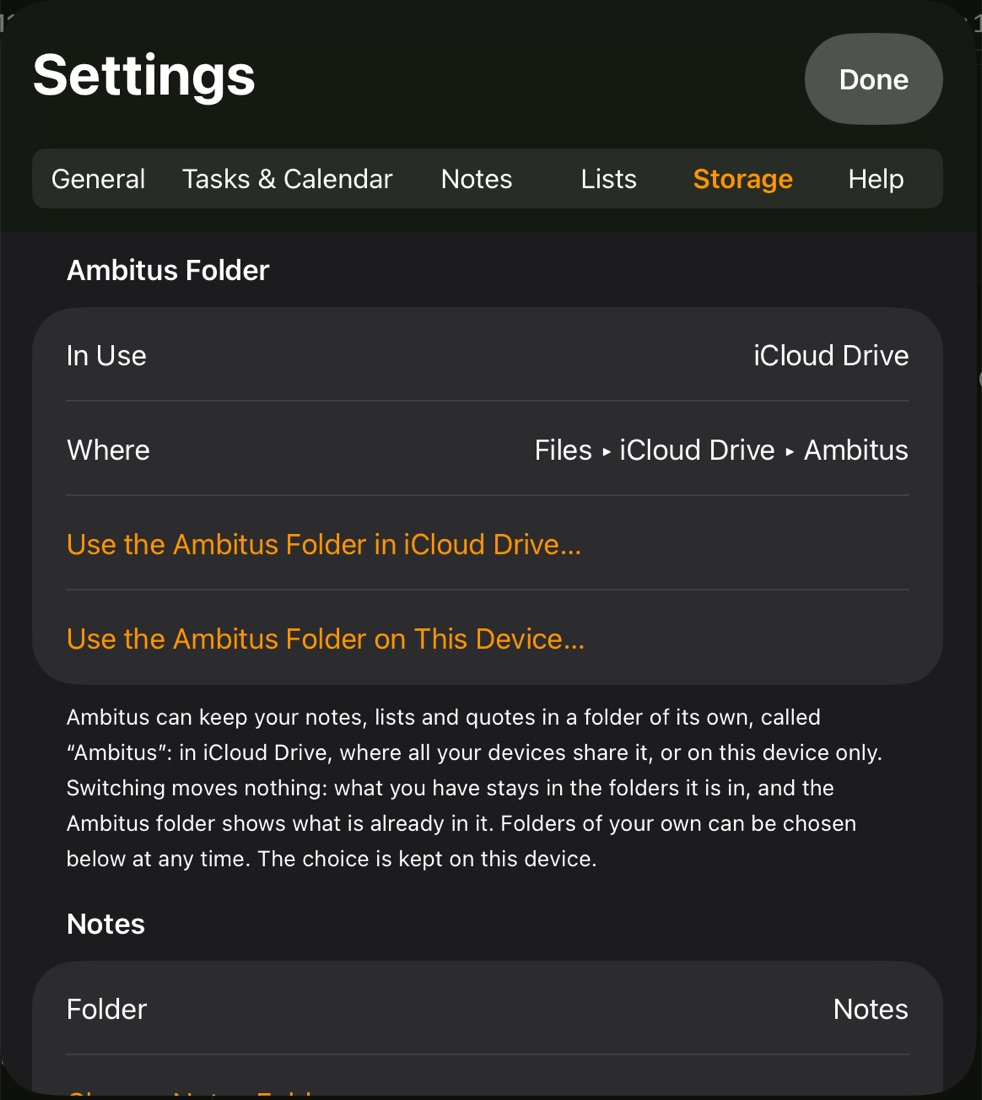
| Ambitus Folder | Shows which folder is in use and where it is. Lets you use the Ambitus folder in iCloud Drive or on this device. Switching moves nothing |
| Notes | The folder in use, and Change Notes Folder |
| Lists | The folder in use, and Change Lists Folder |
| Quotes | The folder in use, Change Quotes Folder, and Use the Folder Inside Lists to go back |
| Clean Up Unused Media… | Looks for photos no note uses any more, shows them, and moves them away only when you say so |
Help
Short pages on what each part of Ambitus does and how.
Suggest a Feature opens the Ambitus wish list in your web browser. Add a wish, or vote for the ones you want most.